 MB Medic Mercedes-Benz Repair Guides, Service, How To DIY

Last updated:
In this guide (6 sections)
 If you recently bought a used Mercedes, you may be wondering why you don’t have navigation. Your Mercedes-Benz has the NAVI button but no GPS! Some models don’t show the NAVI tab on the LCD screen. This was usually the case when the Multimedia Package, which includes the Mercedes navigation system, wasn’t installed at the factory. GPS Navigation is one of the features of the Multimedia Package, an optional feature for some models. If your MB doesn’t have GPS, the original buyer didn’t pay an extra $2,000 for the Multimedia Package. The good news is that you can still add navigation to your Mercedes without spending a fortune. In this article, we will discuss the cost-effective solution allowing you to add GPS to your Mercedes-Benz C, CLA, GLK, SLK, and GLA-class.
Mercedes GPS Navigation Alternative: Becker Map Pilot
How to add GPS navigation to my Mercedes-Benz?
 If you want to add GPS navigation to your Mercedes without paying thousands of dollars, the answer is simple. It is called Becker Map Pilot and costs a lot less than the Multimedia Package. The Becker Map Pilot can be integrated into the existing COMAND system if you are looking for a seamless solution that will allow you to have GPS Navigation.
Mercedes-Benz cars with a standard radio with 2.8 LCD screen option, code 508, and audio 20 can quickly be equipped with navigation.
Check current prices for Becker Map Pilot (eBay link).
 Becker Map Pilot has received a lot of reviews. Many great reviews, and a few of them tend to be negative. Therefore, we have highlighted the pros and cons of the Becker Map Pilot. Hopefully, this will help you to decide if this Mercedes navigation upgrade is right for you.
PROS of Becker Map Pilot
- Fully integrated navigation with the existing COMAND
- Easy to install. Just plug in the terminal found in the glove box
- It can be controlled with the steering wheel and central wheel controls
- Driving instructions can be shown in the instrument cluster as well
- Easy to update. Visit beckermappilot.com
- Inexpensive. Much less expensive than Multimedia Package
CONS of Becker Map Pilot
- Simple Navigation System
- Does not add a backup camera
- No traffic/weather information
- You will have to use it with the existing 5.8-inch screen
Installation
 Becker Map Pilot is easy to install. If your MB is pre-wired, plug it into the glove compartment terminal, and that’s it. The Becker Map Pilot requires that your Mercedes-Benz be pre-wired for navigation, or you install the necessary wire harness. Check if your MB vehicle has factory Option Code 508 and Audio 20 standard radio. You can call the dealer, who will tell you if you have those options installed, or you can check if you have these options by going to the Mercedes VIN Decoder and using one of the options to check your MB by VIN. If you have the codes above, your MB is pre-wired. The other alternative will be to check if your Mercedes-Benz has the Map Pilot terminal in the glove box. Note that if your Mercedes-Benz is not prewired for Map Pilot integration, the wiring can be installed by an independent auto mechanic or your Mercedes dealer.
Is the Becker Map Pilot Worth It?
While the Becker Map Pilot may not be the most sophisticated navigation system, it is an excellent way to add navigation to particular MB models. It would be best to consider the Becker Map Pilot to add GPS navigation to your existing Mercedes COMAND system. Remember to spend a few minutes getting used to the Map Pilot system. Especially in the way that you are required to enter addresses. The system requires that you enter the address in this format: State, Town, Zip Code, Street, and number. In the end, you will have GPS Navigation that works with your existing COMAND
Where to buy the Becker Map Pilot
The Becker Map Pilot has Mercedes Part Number A 166 900 48 03. The current prices for the Genuine OEM Becker Map Pilot was here (eBay link).
Update the map within 45 days of installing the unit. Becker has a “fresh map guarantee,” but it is only available during the first 45 days you use the GPS (not the car). You can update road maps and POIs for free during this period.
Becker Map Pilot Compatibility
| C-Class/C-204/2013 |
| C-Class/C-204/2014 |
| C-Class/W-204/2013 |
| C-Class/W-204/2014 |
| CLA-Class/C117/2014 |
| GLK-Class/X-204/2013 |
| GLK-Class/X-204/2014 |
| SLK-Class/R-172/2013 |
|
SLK-Class/R-172/2014
Sprinter- with code #E1N(check with dealer)
|
Compatible Mercedes models
2013 2014 Mercedes C-Class Sedan & Coupe C250 C300 C350 C400 C63 AMG
Only 2015 Mercedes C-Class C250 Coupe / C350 Coupe / C63 Coupe
2013 2014 2015 Mercedes GLK-Class GLK250 GLK350
2013 2014 2015 Mercedes SLK250 SLK350 SLK55 AMG
2014 2015 Mercedes CLA250 CLA45 AMG
2015 Mercedes GLA250 / 4Matic / GLA45 AMG
What is the Multimedia Package?
The Multimedia package includes the Mercedes Navigation system and newer models’ features such as a larger LCD screen, backup camera, six-disk CD / DVD changer, real weather and traffic, and 10GB digital music storage.
The MB multimedia package costs between $2200 and $2800, depending on the model. Navigation has become a standard feature in newer Mercedes models, such as the E-Class, but it is an upgrade option for $2300 on models such as the CLA.
Check What Your Car Actually Has First
The compatibility list above goes by model and year, and the Multimedia Package section explains why that is not the whole story: the Map Pilot docks into an existing COMAND and depends on what was specified when the car was built, not on what the badge says. Two cars of the same model year can differ here.
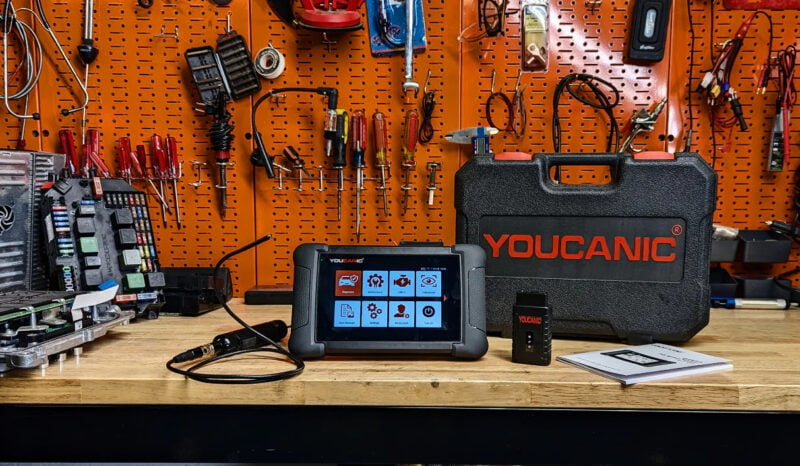
A full system scanner such as the YOUCANIC UCAN-II Pro lists the control units the car is actually fitted with, which answers the question in your own driveway rather than from a compatibility chart. A basic OBD2 reader will not, since it only reaches the engine. Worth ten minutes before buying a module that may not dock.
Before you buy parts, scan every control module, not just the engine. It shows the root fault behind the warning lights and tells you whether the problem is still active. See how to do a full health check.


Beware!
The ‘current’ Becker Map data is NOT up to date. In fact for their V4 map data downloaded just last week, “current” means up to Q4 2014.